← MyYoda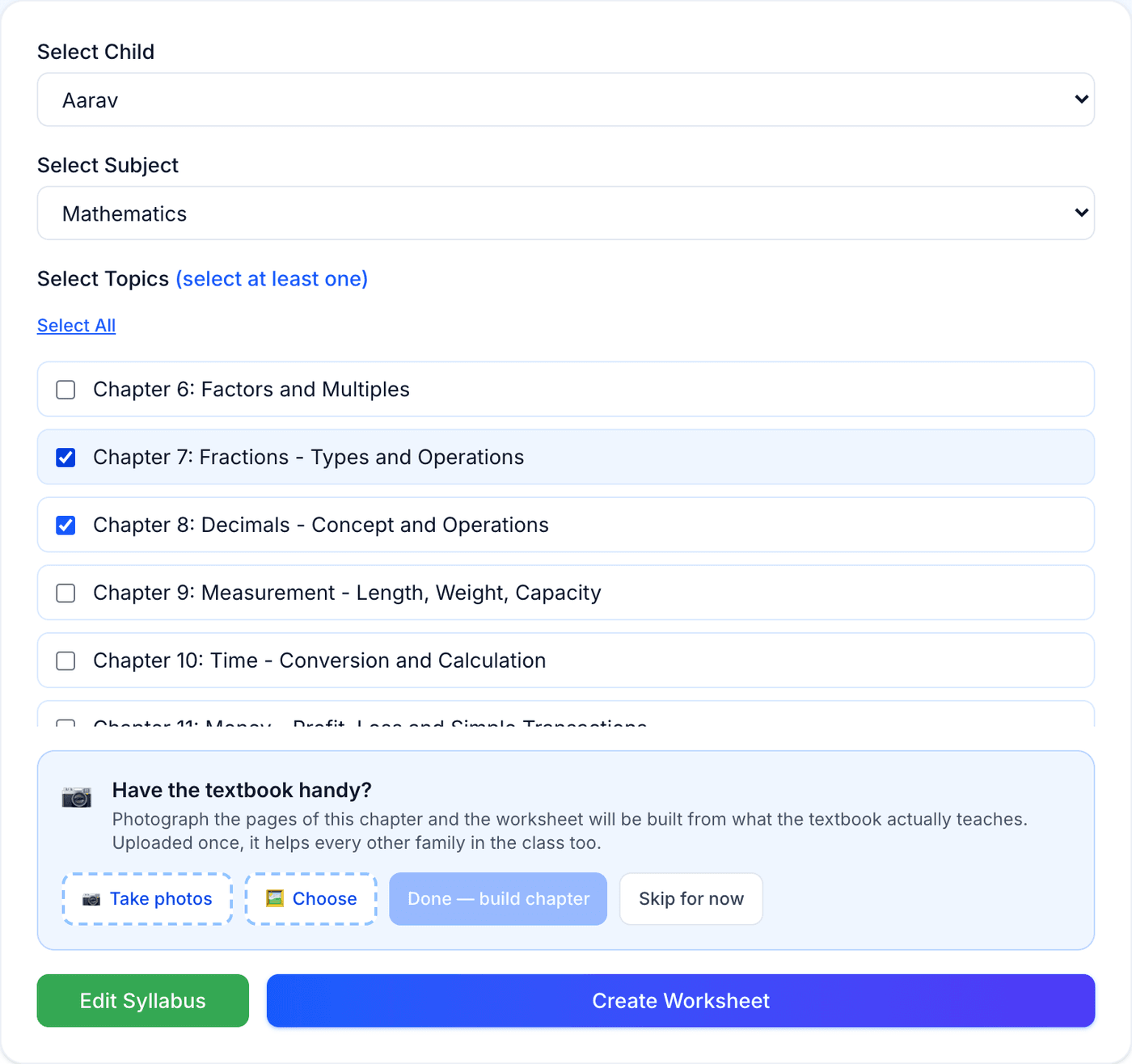
Help Center
Short guides for getting the most out of MyYoda.
Creating a Worksheet
Open Create Worksheet, select a child and a subject, then tick the topics you want covered — you can select one, several, or all of them.
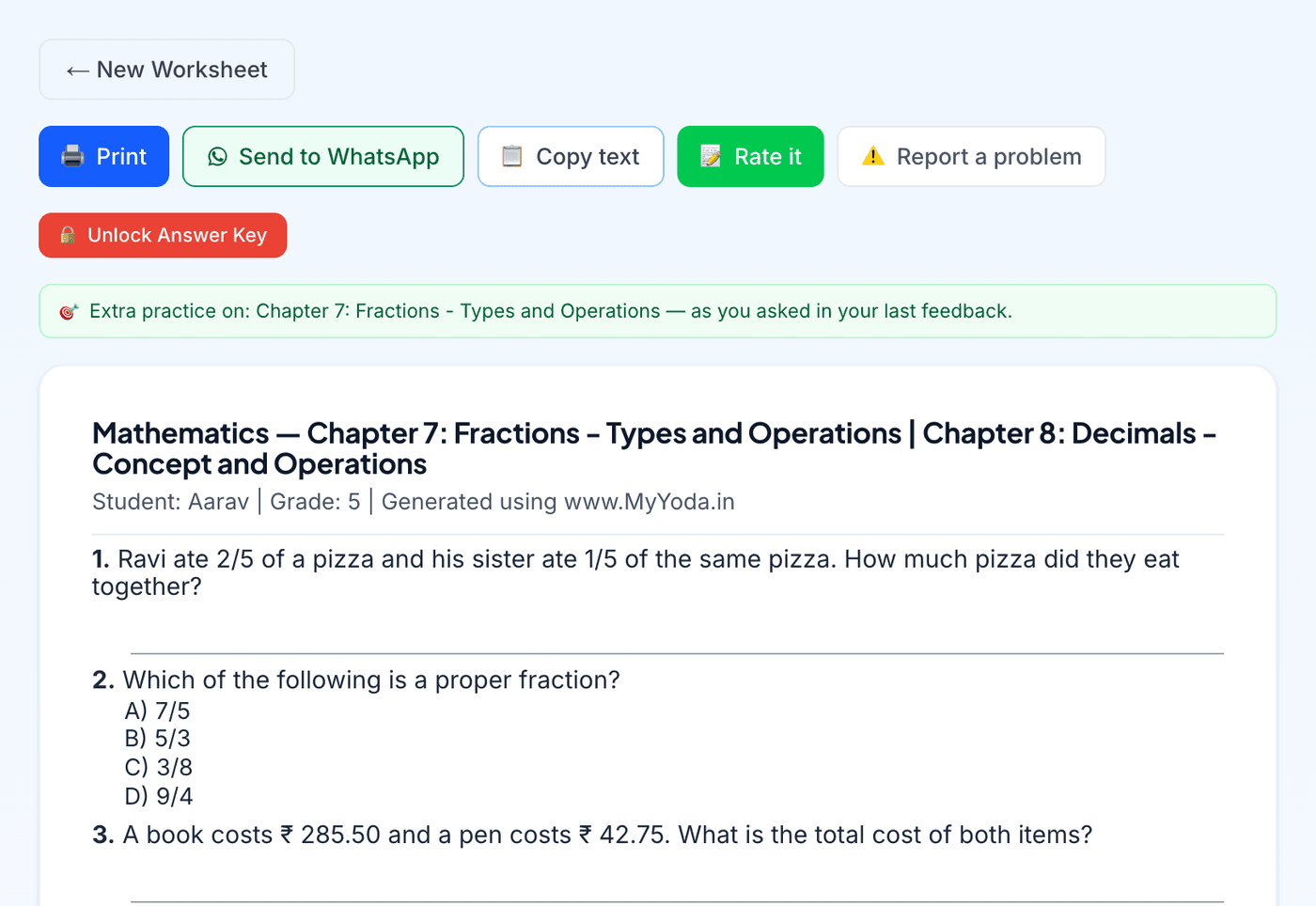
Click Create Worksheet and it’s generated in about 15–30 seconds, matched to your child’s current difficulty level for that subject. From the result you can print it, send it to WhatsApp, copy it, rate it, or unlock its answer key. On a phone, WhatsApp and Rate it sit at the bottom of the screen, and the rest are under ⋯.
Each generation uses either your plan or a credit — see Plans & Credits for details. Rating the worksheet afterwards helps the next one match your child even better.